How to Remove EXIF Data from Photos Before Sharing Online
What is EXIF Metadata?
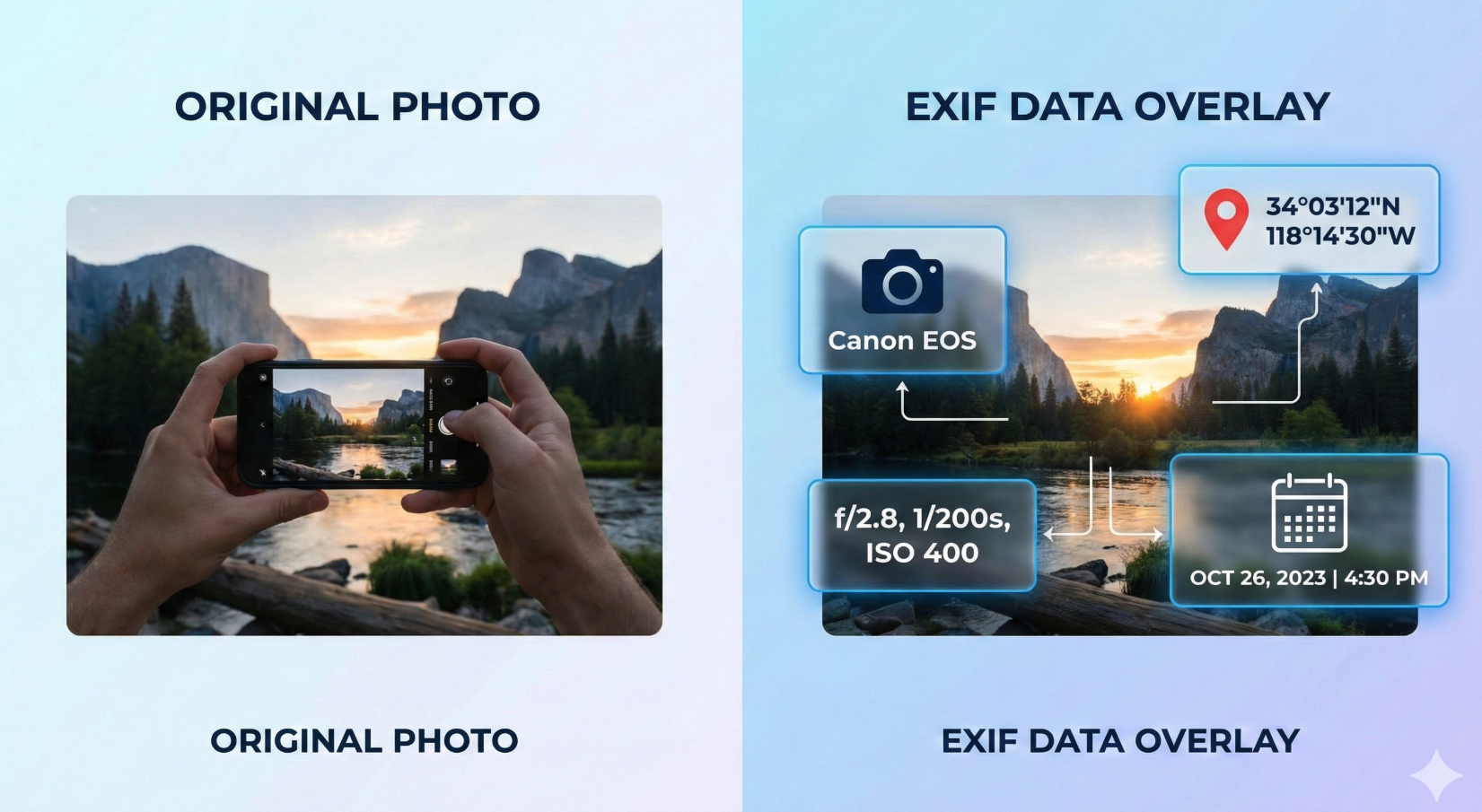
EXIF stands for Exchangeable Image File Format, a standard created in the 1990s that embeds technical information directly into image files. While this metadata was originally designed to help photographers track camera settings and organize their work, it has become a double-edged sword in the age of social media.
When you snap a photo, your camera or smartphone automatically records a surprising amount of information alongside the image itself. This can include GPS coordinates showing exactly where the photo was taken, the precise date and time, your camera's make and model, detailed camera settings like ISO, aperture, and shutter speed, and even the software used to edit the image.
Here's the concerning part: anyone who downloads your photo can access this information. A seemingly innocent vacation photo could reveal that your home is currently empty. A picture of your child at their school could pinpoint the exact location. Even professional photographers might inadvertently share proprietary techniques or expensive equipment details they'd prefer to keep private. All it takes is a few clicks using freely available tools or even built-in operating system features to extract this hidden data.
Privacy Risks of Sharing Photos with EXIF Data
The privacy implications of EXIF metadata extend far beyond simple curiosity. Location data embedded in your photos can enable stalking and harassment, allowing bad actors to track your movements and establish patterns in your daily routine. If you regularly post photos from home, work, your gym, or your children's school, you're creating a detailed map of your life that anyone can access.
For professionals, the stakes are different but equally significant. Photographers might reveal trade secrets about their equipment, settings, and post-processing workflows. Businesses sharing product photos could inadvertently disclose information about their facilities or development timelines. There have been documented cases where journalists had their locations compromised through photo metadata, and even military operations have been exposed when personnel shared images with embedded GPS coordinates.
You might assume that posting to social media protects you, and you'd be partially right. Major platforms like Facebook, Instagram, and Twitter do strip EXIF data from uploaded images as a privacy measure. However, this protection isn't universal. Many messaging apps, file-sharing services, and smaller platforms preserve metadata intact. Email attachments typically retain all EXIF information. If you download an image from Instagram and then share it through another channel, that stripped data doesn't follow—you need to be mindful of every sharing method you use.
How to Check if Your Photos Have EXIF Data
Before you can protect your privacy, you need to see what information your photos actually contain. Fortunately, checking for EXIF data is straightforward on any device.
On Windows, right-click any image file and select "Properties," then navigate to the "Details" tab. You'll see a comprehensive list of metadata, including camera information and potentially GPS coordinates if location services were enabled.
Mac users can select an image file, press Command+I to open "Get Info," and expand the "More Info" section to view EXIF data. For iPhone photos in the Photos app, simply swipe up on an image to see basic information including location if it was recorded.
For a more comprehensive view of all metadata in your images, including hidden fields that operating system tools might not display, you can use our metadata remover tool which first shows you exactly what data your photos contain before giving you the option to remove it.
Methods to Remove EXIF Data
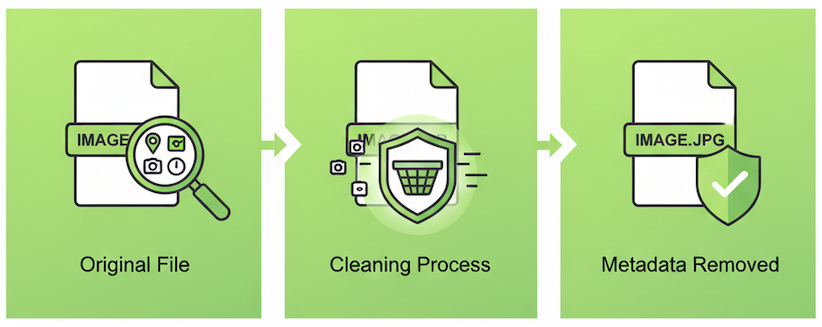
Once you understand what's in your photos, removing that data becomes the priority. You have several options depending on your technical comfort level and specific needs.
Built-in Operating System Methods
Windows users have a quick built-in solution: right-click the photo, select "Properties," go to the "Details" tab, and click "Remove Properties and Personal Information" at the bottom. You can choose to create a cleaned copy or strip data from the original file. Alternatively, opening the image in Paint and saving it as a new file will also remove EXIF data, though this may slightly reduce image quality.
On Mac, open the image in Preview, go to Tools > Show Inspector, click the "i" icon for details, and you can manually adjust or remove GPS and other data. Then export the image with a new name. Taking a screenshot of the photo is another quick method that works on both platforms, though this approach reduces image quality and resolution.
Online Tools: The Easiest Solution
For most users, web-based EXIF removal tools offer the best combination of convenience and functionality. These tools require no software installation, work on any device with a browser, and often support batch processing when you need to clean multiple images at once.
ExifTools.com provides a privacy-focused solution that processes images securely. The tool shows you exactly what metadata exists in your photos, allows you to remove all EXIF data with a single click, and supports batch processing for multiple images. Many online tools like this process files locally in your browser or immediately delete them from servers after processing, ensuring your photos remain private.
Using an online EXIF remover is typically as simple as visiting the website, dragging and dropping your photos, reviewing the metadata detected, clicking to remove the data, and downloading your cleaned images. The entire process takes seconds per photo.
Desktop Software Options
For users who prefer offline solutions or need advanced features, dedicated desktop applications exist. ExifTool is a powerful command-line utility that offers granular control over metadata, though it requires technical knowledge. PhotoME and similar GUI-based applications provide user-friendly interfaces for viewing and editing EXIF data.
Desktop software makes sense when you're processing large volumes of photos regularly, need to work without an internet connection, or want fine-grained control over which specific metadata fields to preserve or remove.
Best Practices for Photo Privacy
Removing EXIF data should become a standard part of your photo-sharing routine, like checking your spelling before sending an email. Make it a habit to clean images before posting them anywhere online, regardless of the platform.
Prevention is equally important. Consider disabling location services for your camera app unless you specifically need GPS tagging for organizational purposes. Most smartphones allow you to control location access on an app-by-app basis in settings. Review photos before sharing them directly from your camera roll—download and clean them first when possible.
Don't assume any platform will protect you automatically. Even if you're sharing to a service that strips EXIF data, that protection only applies to that specific upload. Anyone who downloads your image from that platform and re-shares it elsewhere may be sharing the original uncleaned version if you uploaded it with metadata intact.
Finally, educate friends and family about photo privacy. Many people remain completely unaware that their photos contain this information. A brief conversation about EXIF data can help protect the privacy of everyone in your social circle.
Conclusion
EXIF metadata is embedded in virtually every digital photo, silently carrying information that can compromise your privacy, safety, and security. While this data serves useful purposes for photographers and photo organization, it becomes a liability the moment you share images beyond your personal devices.
Taking control of your photo metadata isn't complicated—it simply requires awareness and a few extra seconds before clicking "share." Whether you use built-in operating system tools, dedicated software, or convenient online solutions, the important thing is making EXIF removal a consistent habit. Your location, your routines, and your personal security are worth those few extra seconds.
Start checking your photos today, see what data they contain, and begin cleaning them before sharing. Your privacy is in your hands—and now you have the knowledge to protect it.