News Photos Are Getting Signed. Here's How to Check One
At a summit in Tokyo on 13 October 2026, broadcasters showed news photos and adverts signed with Content Credentials at the source. Here's what changed, which cameras sign, and how to check a signed news photo yourself.
At the Media Provenance Summit in Tokyo on 13 October 2026, Ukraine's public broadcaster Suspilne showed that it now signs selected news photos in the camera with Content Credentials (the C2PA standard), as a signer on the official C2PA Trust List, and Japan's Fuji Television showed adverts signed the same way. Content Credentials are a signed record inside a file that says who made it and how. If a signed photo reaches you, the free Content Credentials checker shows who signed it and whether the file has changed since.
What happened in Tokyo
The summit at Gate City Hall was hosted by the Asia-Pacific Broadcasting Union (ABU) with the NHK Foundation and the IPTC, which published its report of the day on 14 October. The main points:
- Suspilne signs selected photographs with C2PA-capable Sony cameras. Its tools passed the C2PA Conformance Program, which put it on the official Trust List, and its signing key was created inside a hardware security module that it never leaves. Audio and video come next.
- Fuji Television embeds Content Credentials in advertising videos, so its TV app can show who made and approved an ad. It says this has run across 120 TV programmes since June 2025, with a public demonstration scheduled on its channel for 17 October.
- The IPTC, the news-standards body, presented a Content Credentials Signing Service, still in C2PA conformance testing, to help member newsrooms start pilots.
The cameras that sign at the shutter
The cameras that make these signatures arrived earlier. As of October 2026:
- Canon announced its Authenticity Imaging System on 11 May 2026. It is built on C2PA, aimed at news organisations, works with the EOS R1 and EOS R5 Mark II after a paid activation, and rolls out from May 2026, first in Europe, the Middle East and Africa. Reuters helped test it.
- Sony licenses its Camera Authenticity Solution to news organisations and photojournalists. Its list of supported cameras for still images, as of May 2026, has ten bodies, among them the Alpha 1 II, Alpha 9 III and Alpha 7 V.
- Google said in 2025 that Pixel Camera on the Pixel 10 attaches Content Credentials to every JPEG photo it takes.
- Apple went its own way: on 15 September 2026 it described Apple Reference Image, an opt-in camera mode on the iPhone 18 Pro and Pro Max. Apple's post mentions C2PA only when describing other systems, so whether these photos will carry Content Credentials that other apps can read isn't clear yet.
It hasn't all gone smoothly. In September 2025 Nikon suspended the authenticity service for its Z6III after a user showed the camera could be made to sign an image it hadn't taken. Nikon then revoked the certificates it had issued, so the credentials on those photos no longer count as proof.
Why it matters when a news photo reaches you
A photo that spreads during a breaking story usually arrives as a copy of a copy. Its ordinary EXIF data (camera model, date, place) can be changed by anyone with the right app. A signature is different. If a newsroom's camera signed the picture and nobody has touched the file since, a checker can confirm both, and any later edit breaks the match. That won't tell you the scene is what the caption says, but it tells you who stands behind the file.
How to check a news photo yourself
- Get the file, not a screenshot. Save the image from the newsroom's own site, or from a link it shared, in its original format. A screenshot is a brand-new file and carries none of the original's record.
- Open the Content Credentials checker in any browser, on a phone too. No sign-up is needed.
- Drop the file in. It is sent over an encrypted connection, checked on our servers with the official C2PA tools, and deleted automatically after about 24 hours.
- Read the verdict line first, then the summary: who signed, when, whether the signer is on a trusted list, and how the content was made. Camera-signed photos usually show Camera capture there.
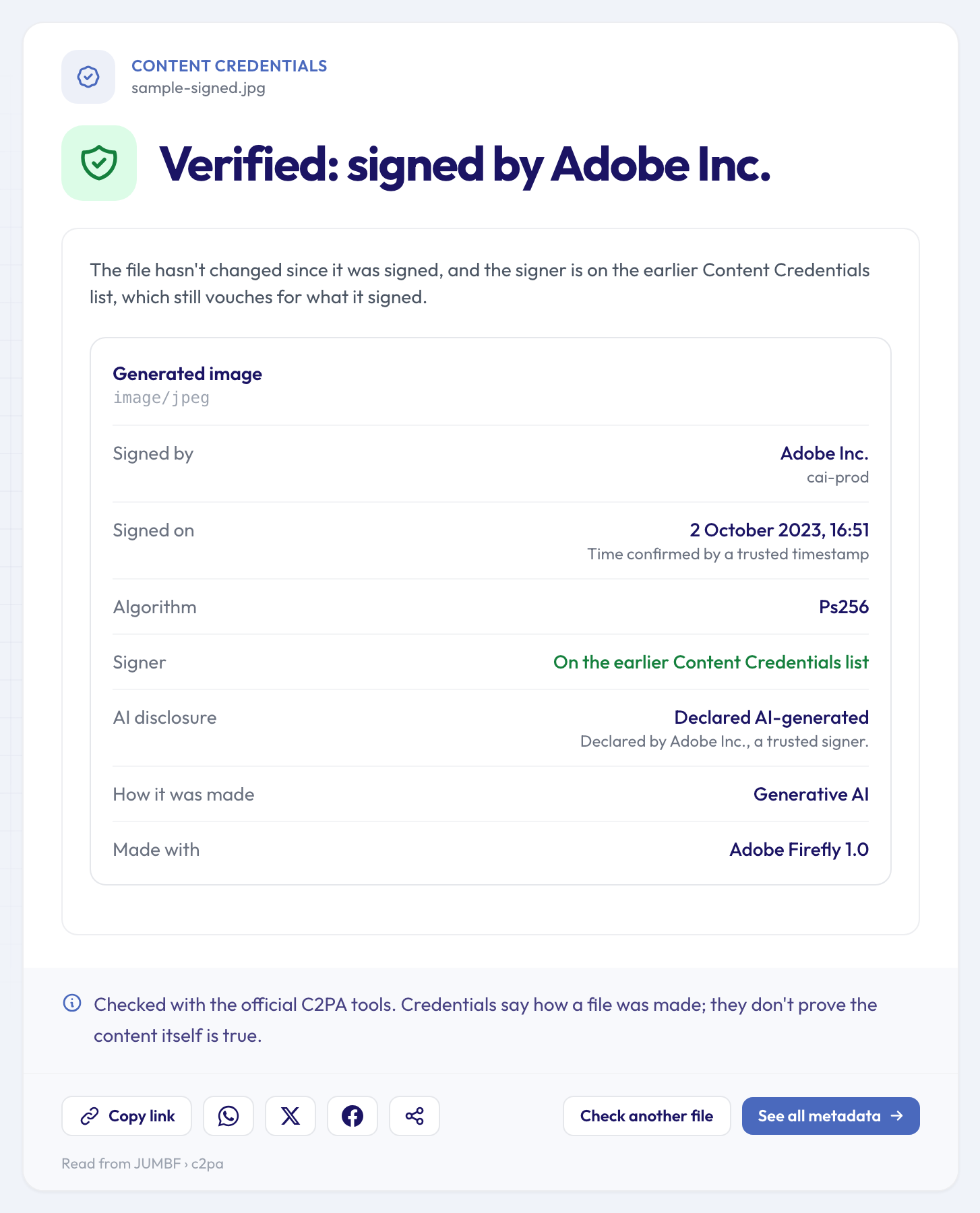 A sample file signed by Adobe: unchanged since signing, signer on a trusted list, and openly declared AI-generated.
We don't have a newsroom-signed photo to show, so the examples here are public sample files made for testing C2PA software. The one above is an Adobe Firefly picture. The green verdict means the signature holds, the file hasn't changed since, and Adobe is on a trusted list (here the earlier Content Credentials list, which the checker labels apart from the official C2PA Trust List). Now look at "How it was made": Generative AI. "Verified" describes the signature and the file, not the picture.
What the other results mean
Changed after it was signed. The record no longer matches the file: someone edited it after the credentials were signed, so they describe an earlier version, not the copy in front of you.
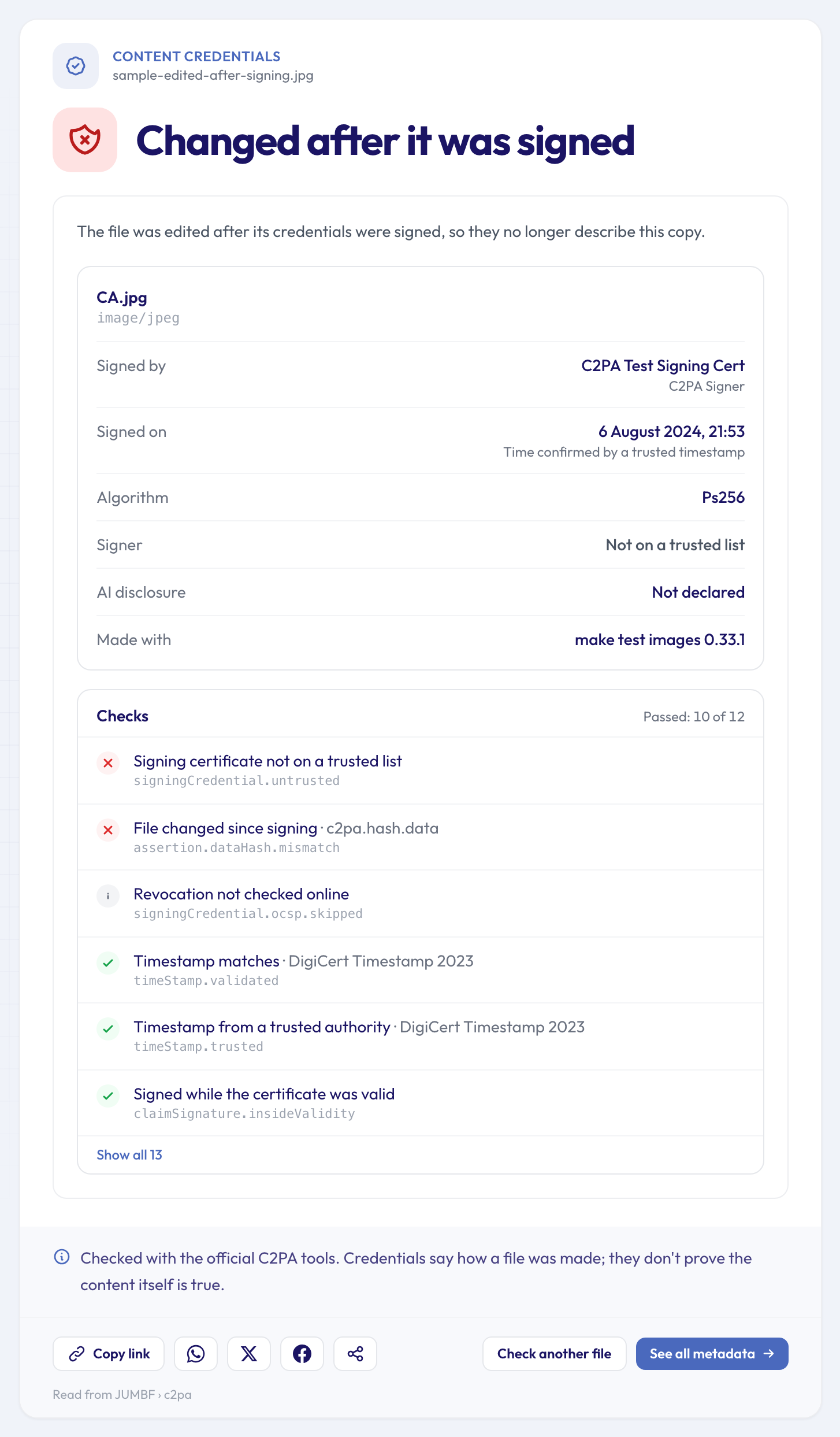 A test file edited after it was signed: the record no longer matches the file.
Signed by a name we can't confirm. The signature and the file are intact, but the certificate isn't on any trusted list. Anyone can create a certificate with any name on it, a newsroom's included, so treat that name as a claim, not a fact.
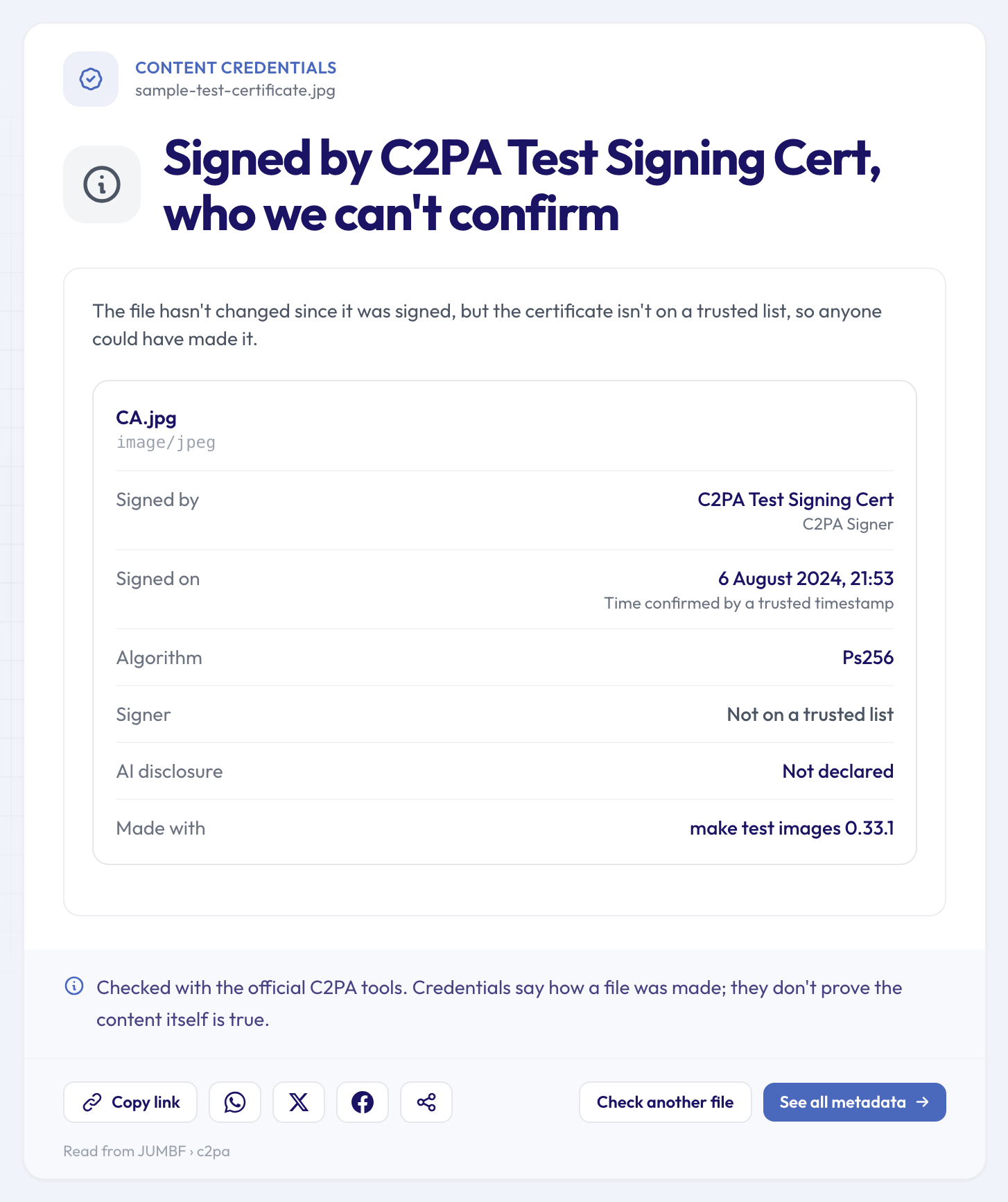 A test file signed with a certificate that is on no trusted list.
Not found in this file. For a photo that has been shared around, this is often the result. Screenshots, re-saving and many social networks and messaging apps remove Content Credentials. Missing credentials don't make a photo fake; they only mean the file can't vouch for itself.
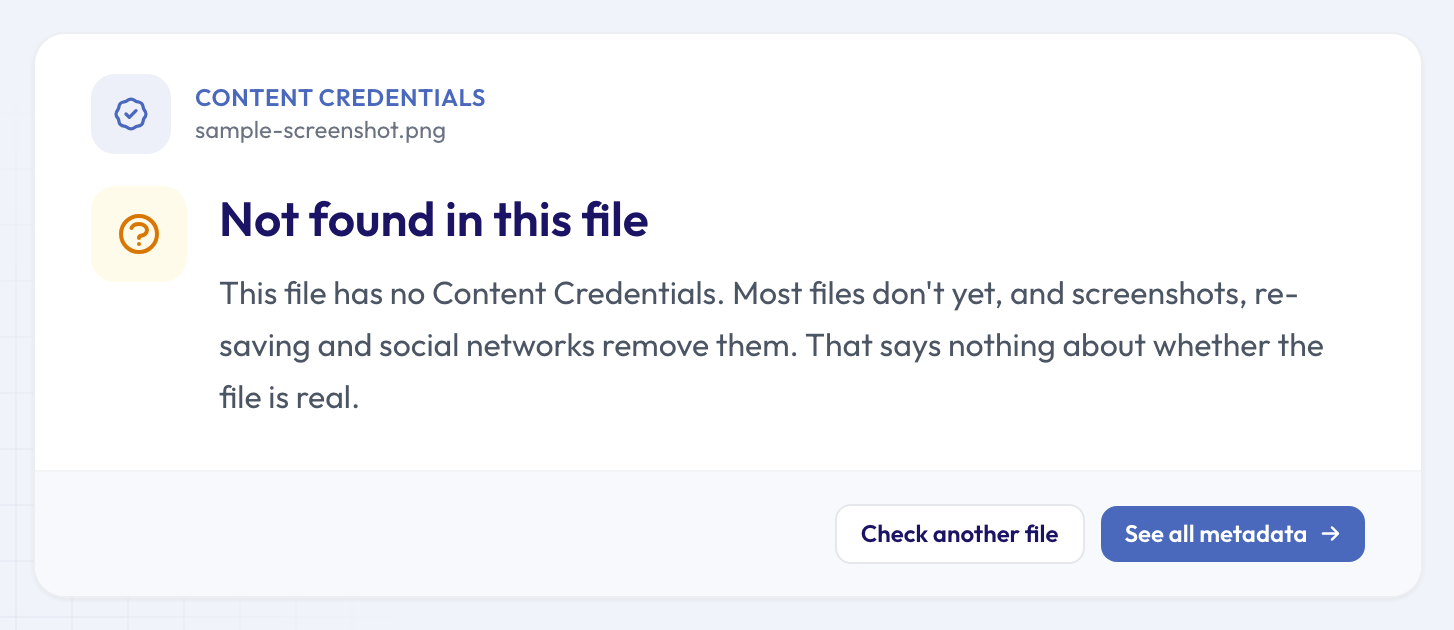 A screenshot of the signed sample: the credentials are gone.
The limits to keep in mind
- A signature isn't the truth. It shows who signed and that the file is unchanged. A genuine, signed photo can still be given a misleading caption.
- The check runs offline. It doesn't go online to ask whether a certificate was revoked later, as Nikon's were; the list of checks says "Revocation not checked online", as in the second screenshot.
- Without credentials, you fall back on ordinary metadata, which is easier to edit. You can still see which camera or phone took the photo, when it was taken, whether it shows traces of an editing app and whether it carries labels left by AI tools. The full metadata viewer shows every field, and our guide to free online metadata tools explains which check answers which question.
FAQ
Can I check a news photo I saw on social media?
You can try, but expect "Not found in this file": many networks re-save uploads and drop the credentials. Look for the photo on the newsroom's own site, or ask whoever posted it for the original.
Does a missing signature mean a photo is fake?
No. Most cameras and phones don't sign their photos yet, and sharing usually strips the signatures that exist. It is no evidence either way.
Will my own phone sign my photos?
A Pixel 10 does for photos taken with Pixel Camera, according to Google, and the iPhone 18 Pro has Apple's own opt-in mode. To find out for your phone, check one of your own photos in the checker. Signing doesn't remove the rest of a photo's metadata: if location was on, the GPS position can still be in the file.
Check the next one yourself
Signed news photos are still rare, but the newsrooms in Tokyo plan to sign more. Next time a striking news photo lands in your inbox, ask for the original file and run it through the free Content Credentials checker to see who signed it, whether it has changed since, and how it was made.