How to Tell if an Image Is AI-Generated (and When You Can't)
Many AI tools label the images they make: signed Content Credentials, an industry "made with AI" tag, a saved prompt or simply their name. Here's how to find those labels in a file, what each one is worth, and why a missing label proves nothing.
The most reliable way to tell if an image is AI-generated is to look for the labels AI tools write into the file itself: signed Content Credentials, the industry's "made with AI" tag, a saved prompt or the generator's name. You can read them in a few seconds with a free AI image checker. If one is there, you have a strong answer. If none is there, you have no answer at all, and that second part matters just as much.
Why bother? Because AI pictures now turn up everywhere: in news feeds, product listings, school projects, dating profiles and family group chats. Looking hard at fingers and shadows used to help, but generators keep getting better at exactly those details. The file, on the other hand, often still says where it came from, as long as nobody has stripped it.
The four labels AI images carry
AI tools don't all label their work the same way. These are the four kinds of marks worth looking for, from strongest to weakest.
- Content Credentials (C2PA). A signed record attached to the file that says how it was made. ChatGPT, Adobe Firefly and others add one that states the image was generated by AI. Because it's signed, it can be checked: if anyone changes the record, or the image after it was signed, the signature no longer matches.
- The IPTC "digital source type". A standard field in the photo's details. A value of
trainedAlgorithmicMediameans "made by a trained AI model", andcompositeWithTrainedAlgorithmicMediameans AI-generated parts were mixed with other material. The values are defined in the IPTC Digital Source Type vocabulary. - A saved prompt. Stable Diffusion web interfaces, ComfyUI, NovelAI, InvokeAI and Fooocus save the full recipe of an image inside it: prompt, model, seed and settings. Nothing says "AI" louder than the prompt itself.
- A generator's name. Some apps just write their name into the file's Software or Creator Tool field, the same place a camera writes its firmware version.
How to check an image for AI labels
- Get the best copy you can. Download the original file from where it was first posted, or ask the sender for it. A screenshot, or a copy forwarded through a messaging app, has usually lost its labels already.
- Open the AI image checker and drop the file in, or tap the button to choose it. PNG, JPEG and WebP all work, on a phone too.
- Read the verdict and the list under "What we found". Each line is one piece of evidence, the strongest first.
- Look at the small "Read from" line at the bottom of the card. It names the exact place in the file the answer came from, so you can find it again in the full metadata viewer.
Here's what an Adobe Firefly image looks like. Its Content Credentials were checked with the official C2PA tools, and they say the picture was made with generative AI:
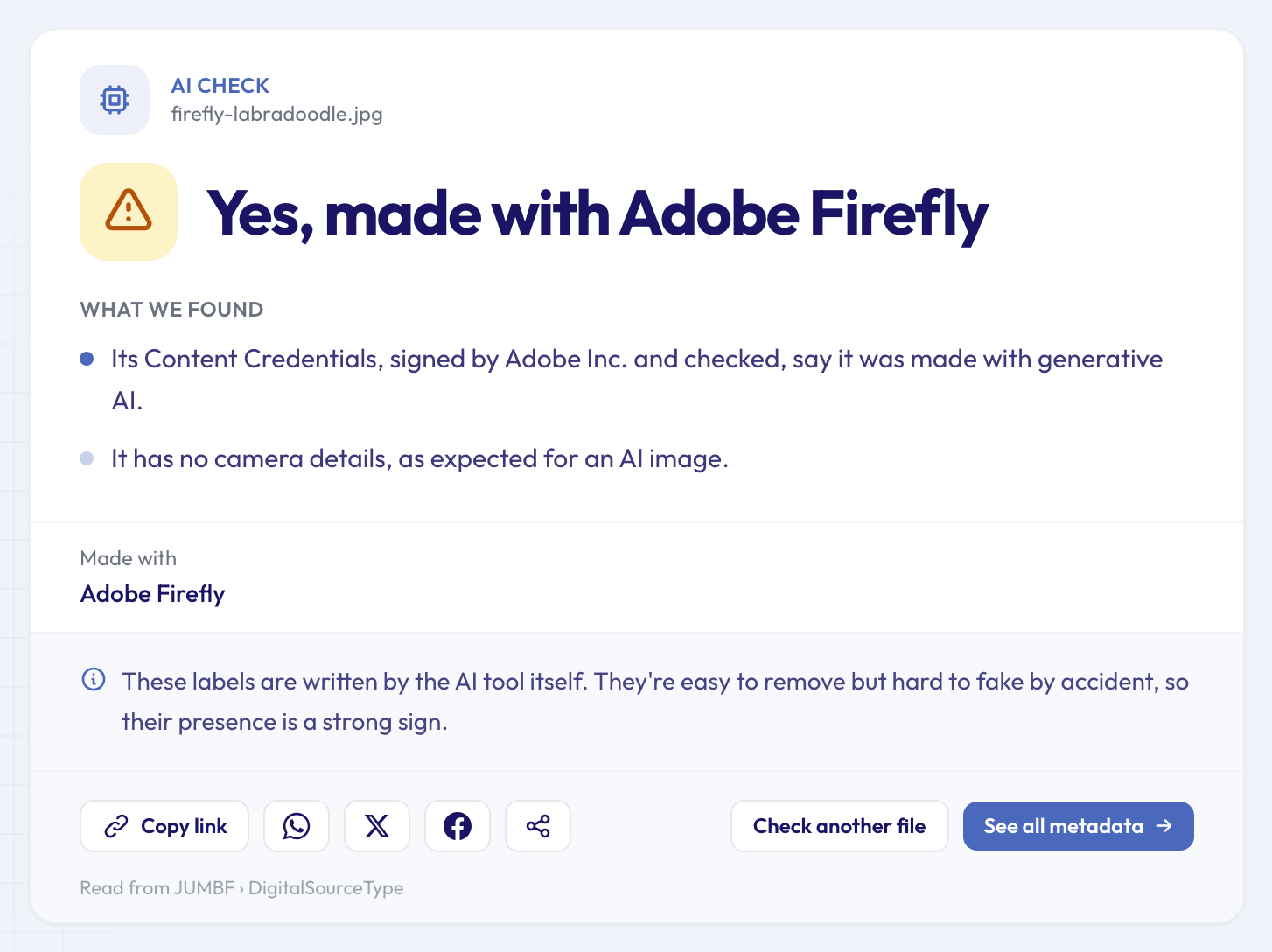 The signed record names the signer, Adobe, and says the image is AI-generated.
And here's an image made with Stable Diffusion, which saved its prompt and settings in the PNG file:
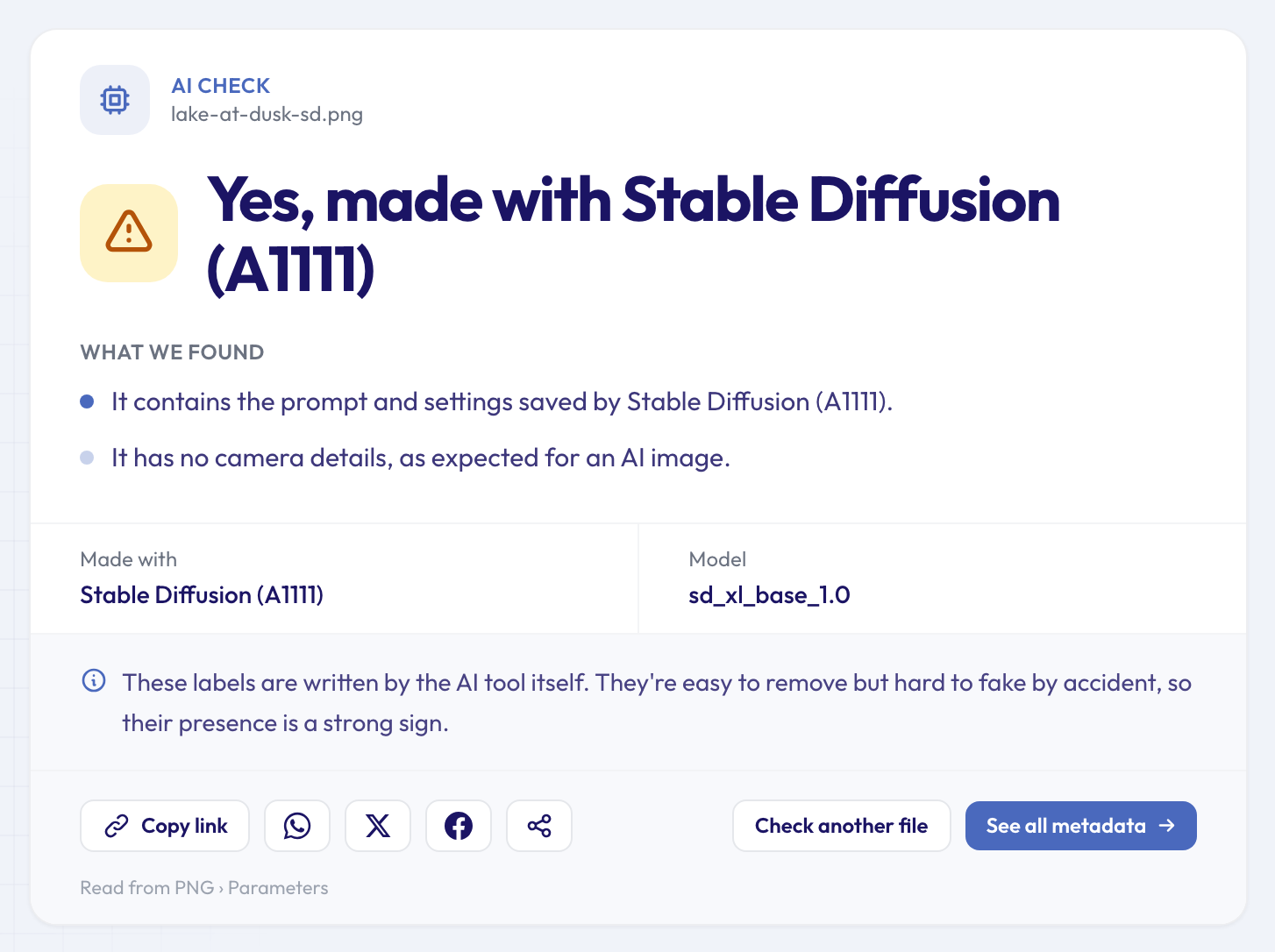 A saved prompt is about as clear as evidence gets. The prompt itself is one click away in the prompt reader.
What each result means
"Yes, made with…" means the file carries at least one label. These are written by the AI tool itself, so they rarely appear by accident. Checked Content Credentials from a signer on a trusted list are the strongest: nobody can make that signature without the signer's private key. A generator's name in a Software field is the weakest, because anyone with a metadata editor can type one in. The list under the verdict tells you which kind you're looking at.
"Possibly AI-generated" means there's a hint but no firm label. Usually the file contains text that reads like a prompt without saying which tool wrote it, or Content Credentials say "AI" but their signature doesn't check out.
"No AI labels found" means exactly that, and nothing more. Here's the Firefly picture from above after a simple screenshot:
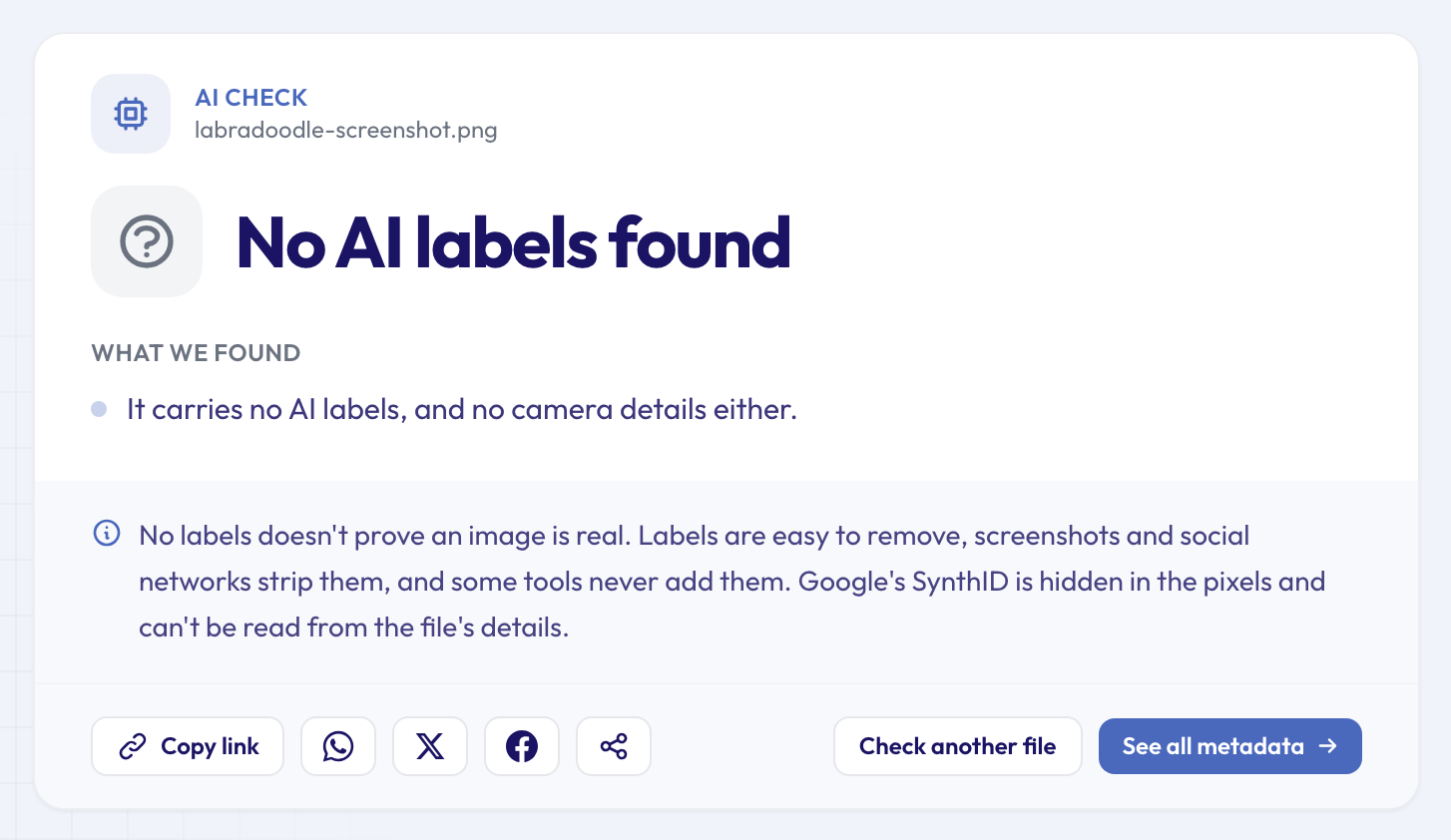 Same picture, same pixels, no labels: a screenshot keeps the image and drops everything else.
When the verdict is "No AI labels found", the line below it is the useful part. If the file still has the details of the camera that took it, that points towards a real photo. If it has no camera details either, as in the screenshot above, the file is simply silent. It could be a phone photo that went through a messaging app, or an AI image that lost its labels on the way.
What metadata can't prove
It's worth being blunt about the limits, because a confident wrong answer is worse than none.
- Labels are easy to remove. Screenshots, most social networks, messaging apps, re-saving in many editors and dedicated metadata removers all drop them. So "no label" can never mean "not AI".
- Some generators never add them. And some put their mark in the pixels instead: Google's SynthID watermark is hidden in the image itself and can't be read from the file's details.
- Unsigned labels can be faked on purpose. A Software field or an IPTC tag can be typed in by anyone. Signed Content Credentials are the exception, which is why the checker says when it found them and checked them.
- Credentials describe how a file was made, not whether it's true. A checked record that says "camera capture" tells you a camera signed it. It doesn't tell you the scene wasn't staged.
- It reads the file, not the picture. The checker doesn't look at the image for visual signs of AI. It reports what the file says about itself.
Used that way, the labels are still very useful: a positive result is strong evidence, and a negative one tells you to look elsewhere.
Other checks that help
An AI label is one piece of the story. These tools answer the questions that usually come next:
- To see the full signed record, including who signed it, when, and every step recorded, run the file through the Content Credentials checker.
- If the image carries a prompt, the AI image prompt reader shows it in full, with the model, seed and settings.
- For a photo that may have been retouched rather than generated, the photo edit checker looks for the traces editing apps leave, and the photo software finder shows which app last saved it.
- If the file claims to come from a camera, the camera finder shows which one, with the settings used for the shot.
Then step outside the file. Where was the image first posted, and by whom? Does a reverse image search turn up an older or larger version? Does the account that shared it have a history? Metadata answers "what does this file say about itself"; context answers "should I believe it". If you're new to the idea of data hidden inside files, what EXIF data is is a good primer, and our roundup of free single-question tools lists every check in one place.
Questions people ask
Can you tell if an image is AI-generated without any metadata?
Not from the file's details, because there's nothing left to read. You're then down to the image itself and its context: where it appeared first, who posted it and whether it matches other sources. Visual tells like odd hands or garbled text are worth a look, but newer generators make them far less reliable.
Why does my own AI image show "No AI labels found"?
Either the tool you used doesn't label its images, or the copy you checked lost them. Downloading through a share button, copying from a chat, cropping in a phone gallery or taking a screenshot can all drop the labels. Try the file exactly as the generator saved it.
Do social networks use the same labels?
Some platforms read Content Credentials and the IPTC tag to show their own "AI" notice, which is why the same rules apply: if the labels were stripped before upload, the platform has nothing to read either.
Does removing metadata remove the AI label?
It removes the labels stored in the file's details: Content Credentials, the IPTC tag, saved prompts and generator names. It doesn't touch watermarks hidden in the pixels. That's exactly why a missing label proves nothing, and why many platforms ask you to say when an image is AI-made rather than relying on the file. Our guide to stripping metadata from AI-generated images shows what each generator writes and what removal leaves behind.
Is an AI-edited photo counted as AI-generated?
It depends on the label. Content Credentials can record that AI-made parts were combined with a real photo, for example after a generative fill. The AI image checker counts that as AI-made, and the Content Credentials checker spells it out as "Partly generative AI".
Check an image now
Have a picture you're unsure about? Drop the original file into the AI image checker and see which labels it still carries. It's free, there's nothing to install, and you'll know in a few seconds what the file says about itself, and what it doesn't.