Nikon Shutter Count: How to Check It Online From a Photo
Nikon DSLRs and Z mirrorless cameras write their shutter count into their photos. Here's how to read it from one JPEG or NEF, what the number includes on a Z camera, and why some files don't show it.
To check a Nikon's shutter count, take a photo, copy the original JPEG or NEF file from the memory card and drop it into a Nikon shutter count checker. Nikon writes the number of shutter releases into every photo its D-series DSLRs and Z mirrorless cameras take, so you don't need a cable, a computer program or the camera's menus. One original file is enough.
Nikon is one of the easiest brands to check this way. Unlike most Canon models, Nikon's DSLRs and Z cameras save the count, and it survives in both JPEG and raw files as long as nothing has rewritten them. The catch is knowing which file to use and what the number means on a mirrorless body.
How to check your Nikon's shutter count
- Take a new photo. Any subject, any settings. The count in a photo is the total at the moment it was taken, so a fresh shot gives you today's number.
- Copy the original from the card. Use a card reader or a USB cable. If you use SnapBridge, Nikon's phone app, note that it often transfers reduced-size copies; for this check, the file from the card is the safe choice.
- Open the Nikon shutter count checker and drop in the JPEG or the NEF. On a phone, tap the button and pick the file.
- Read the count. You'll see the number of shots, the camera model and the date the photo was taken. The copy button gives you a line like "Shutter count: 3,619 (NIKON D70)" for a listing.
Here's the result for a NEF raw file from a Nikon D70:
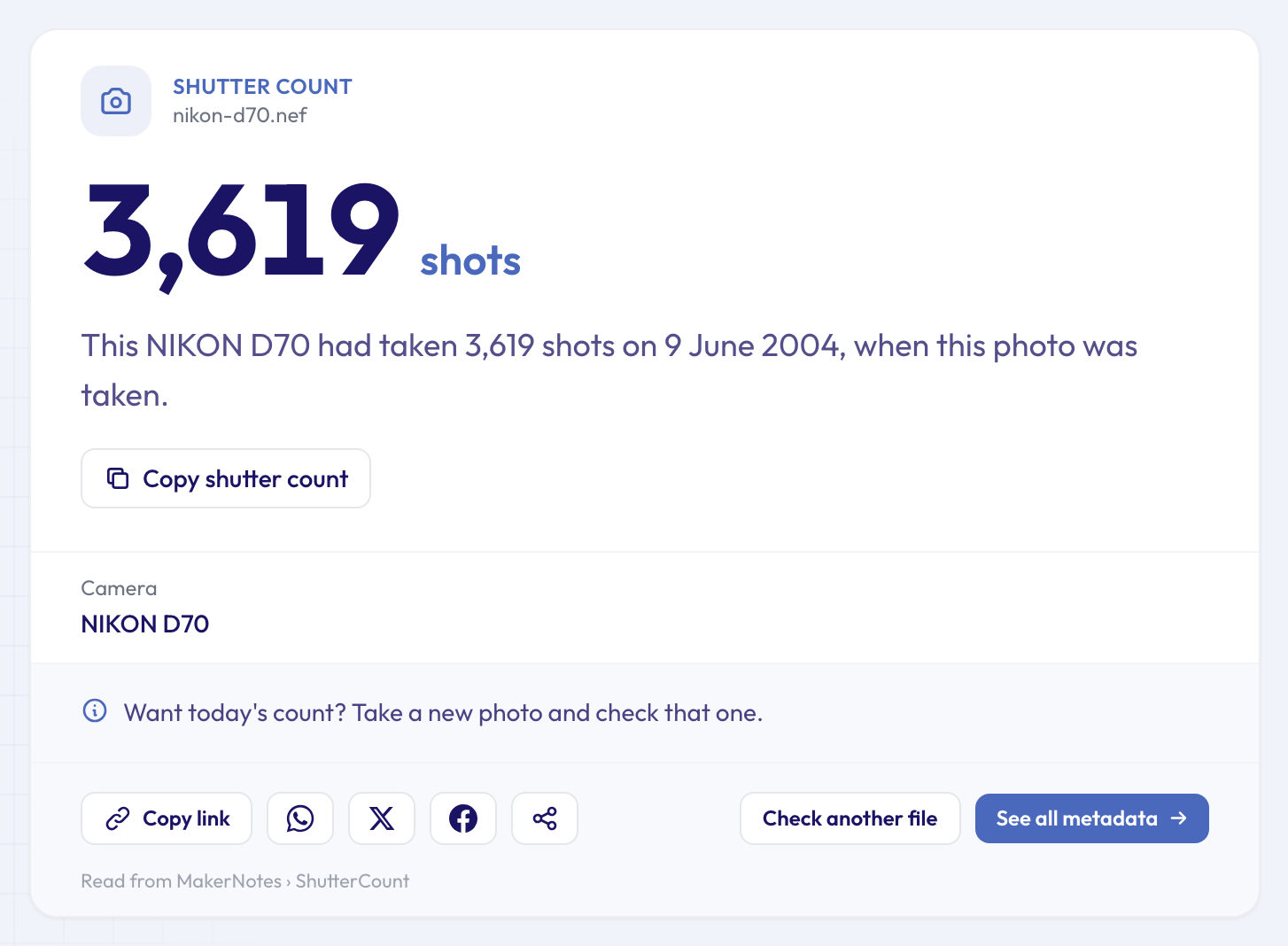 A NEF works just as well as a JPEG: this D70 had taken 3,619 shots on 9 June 2004.
That NEF had even been opened and saved in Nikon Capture Editor, Nikon's own editing software of the time, and the count was still there. What matters isn't whether a file was ever opened in an app, but whether the app kept Nikon's maker notes when it saved it. Many don't, which is why the original file from the card is the safest choice.
Where Nikon keeps the count
Standard photo details, such as the camera model, the date and the exposure settings, sit in sections every viewer understands, as our beginner's guide to EXIF data explains. The shutter count isn't one of them. Nikon writes it into its own private section of the file, the maker notes, in a field simply called ShutterCount.
Nikon also uses that number, together with the camera's serial number, as a key to scramble other parts of its maker notes. Programs that don't know Nikon's format show none of it, which is why the count is missing from most photo viewers and file properties windows.
You can see the raw field yourself in the full metadata viewer: open any original Nikon photo, type "count" in the search box, and the MakerNotes group shows it.
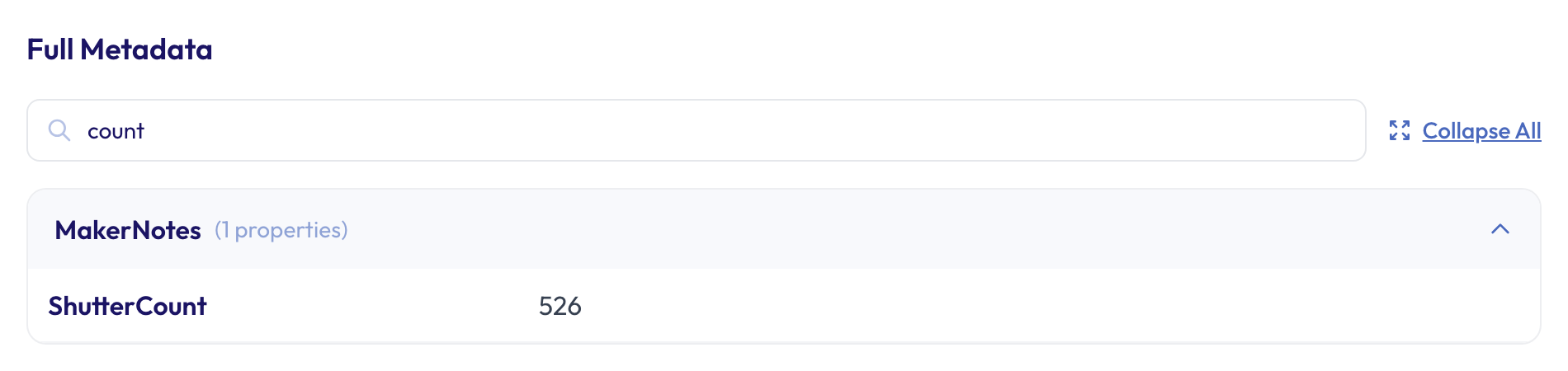 The same number, as the camera wrote it, in a D70 JPEG's maker notes.
What the number means on Z cameras
On D-series DSLRs, the count essentially follows the shutter: each release adds one. Mirrorless Z cameras are different, because they can also take pictures with a silent electronic shutter that doesn't move the mechanical curtains.
- The main count includes electronic-shutter shots. On Z cameras the ShutterCount field counts every photo, however it was taken. The checker adds a note saying so whenever the photo comes from a Z body.
- Some models also store a mechanical-only count. When a photo carries one and it differs from the total, the result shows it as a separate "Mechanical shutter" line. That's the number that reflects wear on the shutter itself.
- The Z 8 and Z 9 have no mechanical shutter. On those two, the count is a measure of how much the camera has been used, not of shutter wear.
So a Z camera that has shot a lot of silent bursts can show a big total while its mechanical shutter has done far less work. If you're buying one, look for the mechanical line, or ask the seller how they shot.
Is my Nikon's count high?
Nikon publishes shutter ratings for many of its enthusiast and professional bodies: for example, it tested the D750 to 150,000 cycles and the D850 to 200,000. Entry-level models often have no published rating. Treat any rating as a tested average, not a limit: many shutters go well past it, and a few don't make it.
When you compare, keep in mind:
- Repairs reset the count. A service centre that replaces the shutter usually starts the counter again. A low number on a camera that looks heavily used is worth a question.
- The file name isn't the count. DSC_0526.JPG comes from an image number that restarts after 9999 and can be reset from the menu.
- Condition matters too. Look for wear on the grip, the mount and the screen, and check the sensor with a test shot.
When the checker can't find a count
If the result says "Not found in this file", the photo has usually lost Nikon's maker notes on the way to you. The usual reasons:
- It was exported from Lightroom, Photoshop or another editor, which the tool names when it can.
- It was sent through WhatsApp, Messenger or a social network, or saved from a website.
- It's a smaller copy made for a phone, for example by a transfer app.
- It came from a Nikon Coolpix compact, which doesn't save a count.
In every case, the fix is the same: take a new photo and copy the original file straight from the card.
More you can learn from the same photo
The maker notes and standard details hold more than the count. While you have the file to hand:
- The camera serial number finder shows the serial number the camera saved. Compare it with the sticker on the body: useful when buying, and for insurance records.
- The lens finder names the lens that was on the camera, useful when a listing says a lens is included.
- The camera settings viewer shows the aperture, shutter speed and ISO of the test shot.
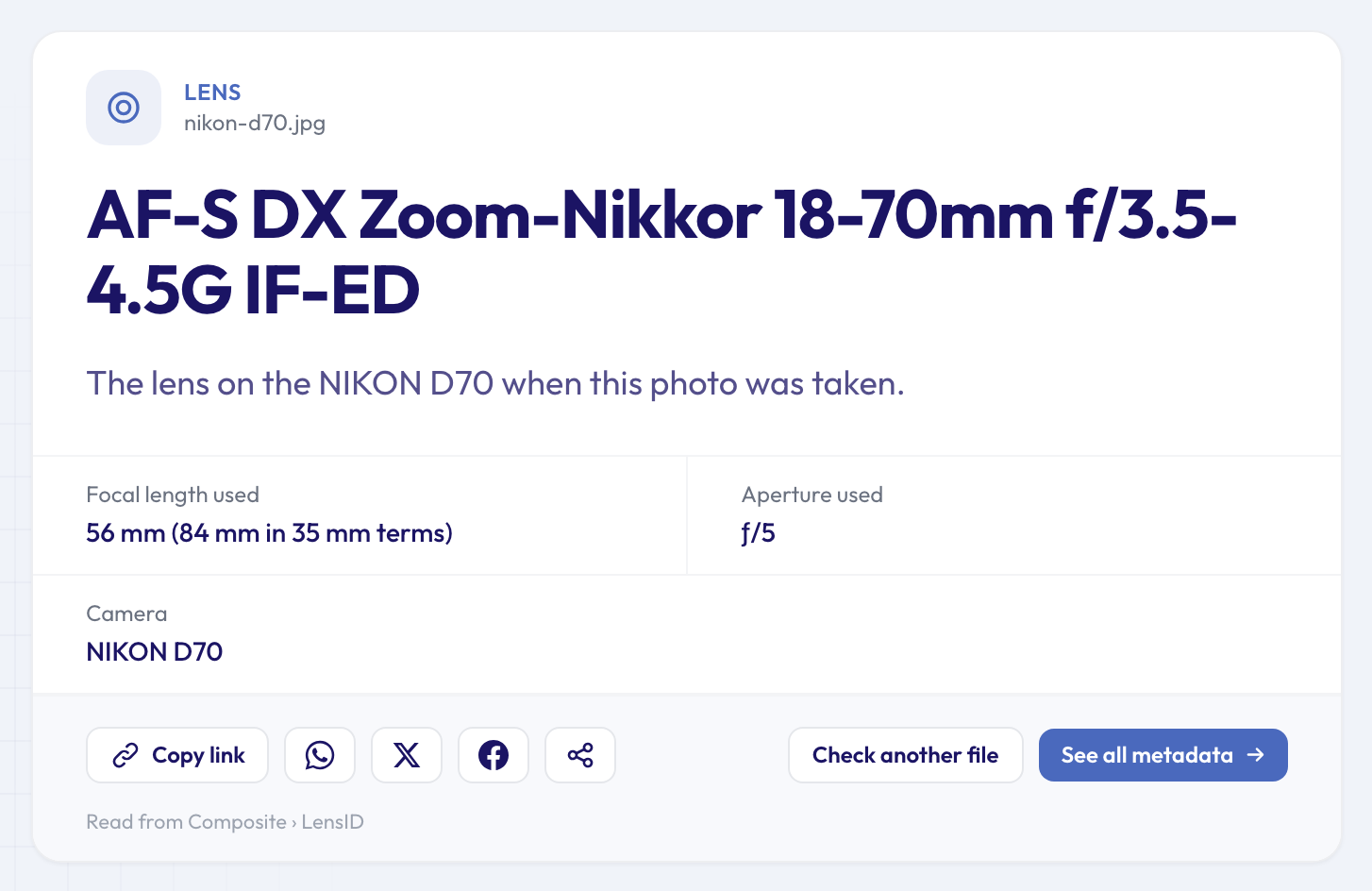 The same D70 photo also names its lens: the 18-70mm kit zoom.
For the general picture across brands, including what to do with Sony, Canon, Fujifilm and Pentax cameras, see our guide to checking a shutter count from one photo. If you only need to confirm the model, how to find out what camera took a photo covers that, and the main shutter count checker works for every brand.
FAQ
Does the count include photos I deleted?
Yes. The camera counts shutter releases, not files on the card, so deleted shots and test frames all added to the number.
My Z 9 shows a very high count. Is it worn out?
Not in the way a DSLR would be. The Z 9 and Z 8 have no mechanical shutter, so the number tells you how many photos the camera has taken, not how worn a shutter is.
Can I check the count without taking a new photo?
Yes, from any original photo the camera took, but the result will be the count on the day that photo was taken. For the current number, a new shot is the only way.
Does the serial number in the photo match the one on the camera?
Usually, yes. Nikon writes the camera's serial number into its photos, and the serial number finder reads it. A mismatch with the body is worth asking about.
Is it safe to upload my photo?
The file is sent over an encrypted connection, read on our servers and deleted automatically after about 24 hours. The result page keeps the extracted details and stays reachable by its link, which is handy for sharing with a buyer.
Ready? Take one photo with your Nikon, copy it from the card and check your Nikon's shutter count in a few seconds.