What's New at ExifTools.com: October 2026 Update
101 free tools that each answer one question about a file, GPS routes from dash cams and GoPros, uploads up to 2 GB, a clearer results page, a stronger Metadata Remover and the whole site in 20 languages. Here's everything new since February.
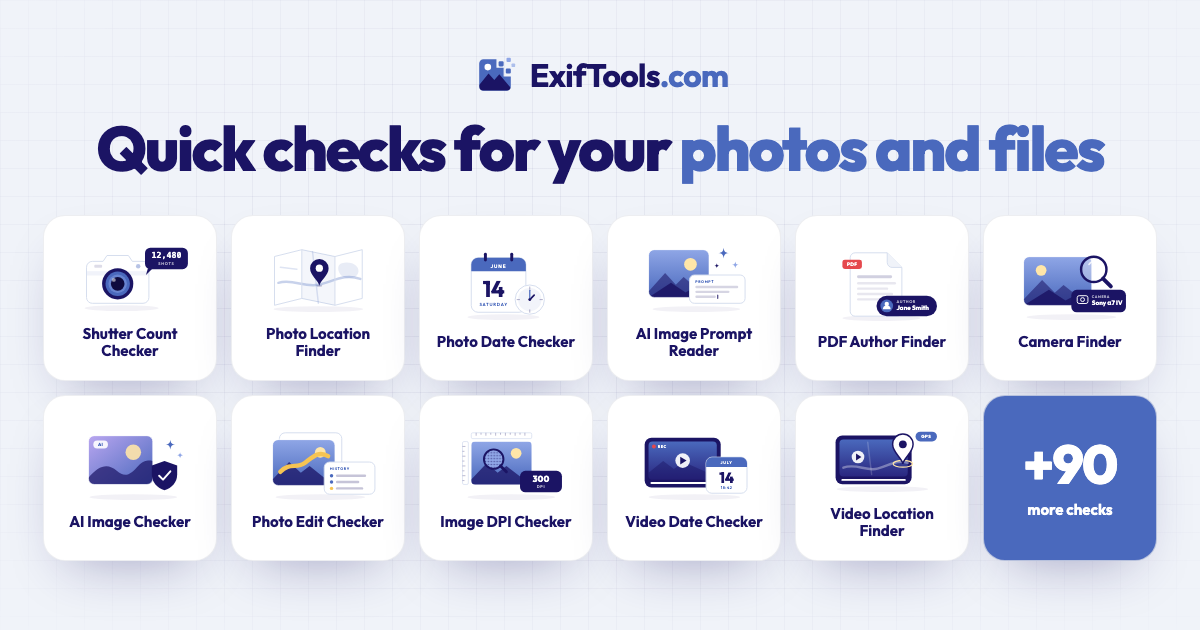
Since our February update, ExifTools.com has grown from a metadata viewer into a full toolbox for understanding your files. There are now 101 free tools that each answer one question, new ways to see where a video went, uploads of up to 2 GB, and a site that speaks 20 languages. Here's what's new.
101 free tools that each answer one question
Sometimes you don't want every detail in a file, just one answer. How many shots has this camera taken? Was this photo edited? Who made this PDF? The new tools page has a tool for each of these questions: drop in a file and the answer appears in seconds, in plain words, with the details behind it.
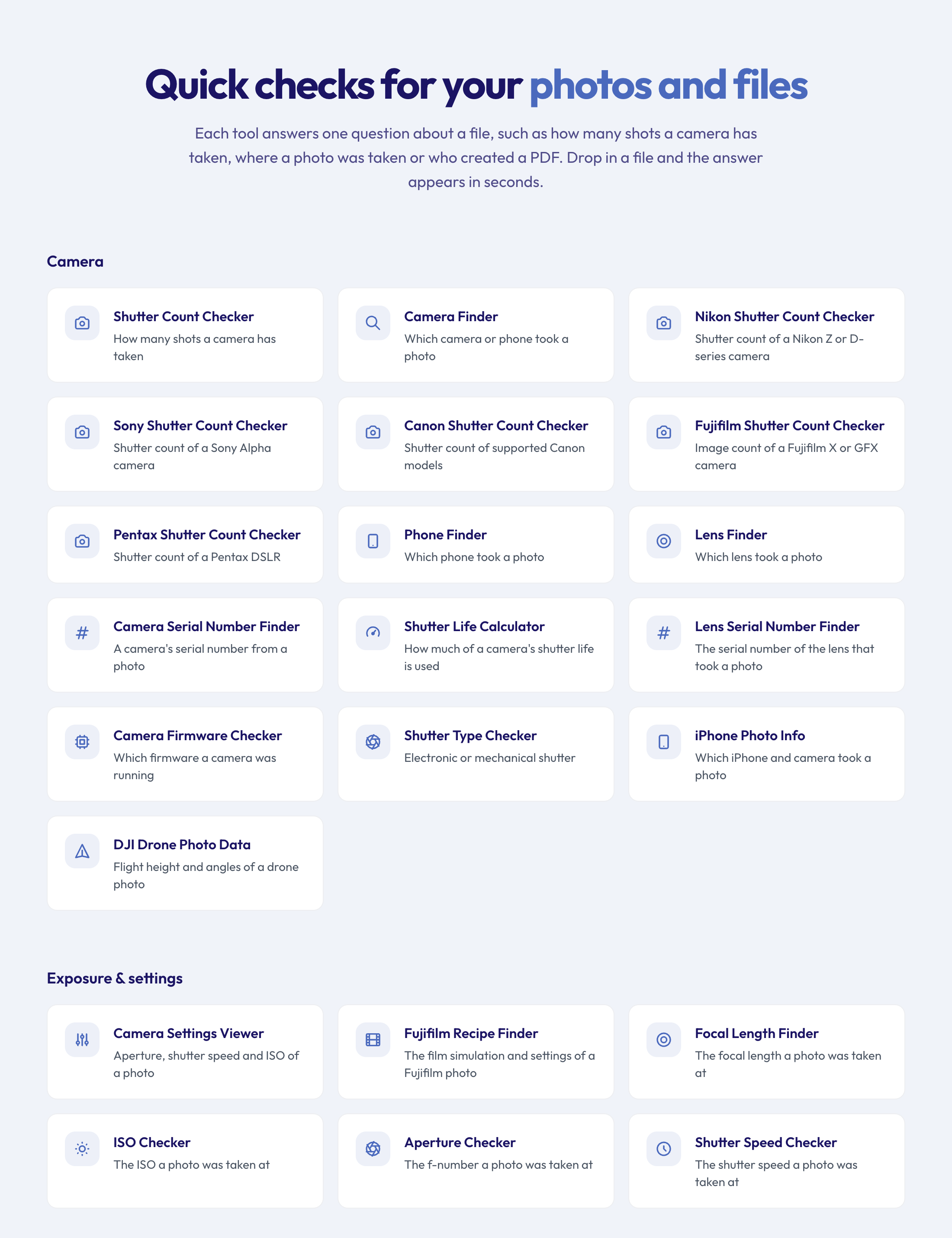 Tools are grouped by what you want to know, from cameras to documents.
There are 101 tools in eleven groups:
- Camera: the Shutter Count Checker for buying or selling a used camera, with dedicated pages for Nikon, Canon, Sony, Fujifilm and Pentax, plus which camera, phone or lens took a photo, and serial numbers.
- Exposure & settings: aperture, shutter speed and ISO with the Camera Settings Viewer, Fujifilm film recipes, Lightroom settings and more.
- Where & when: where a photo was taken on a map, when it was really taken, its time zone, and a privacy check before you post.
- AI & edits: whether an image was made by AI, the prompt and settings behind it, whether a photo was edited and with which app, and its Content Credentials.
- Image details: DPI for printing, colour profiles, CMYK or RGB, and the hidden thumbnails some photos keep after cropping.
- Video and audio: when and where a video was recorded, its codec, frame rate and HDR format, whether an MP3 is really 320 kbps, album art and more.
- Documents: who wrote a PDF or Word file, when it was created, whether it was edited, its security settings and its signatures.
- Files inside documents: save every picture from a PDF, Word, PowerPoint or Excel file, plus videos and attachments, in their original quality.
- Any file: what kind of file something really is, fonts, text encodings and medical scans.
Every tool page is in 20 languages. On tool pages you can also paste an image or a link instead of dropping a file.
See the route of a dash cam or GoPro video
Dash cams and action cameras record where they went, second by second. The Dash Cam GPS Extractor and the GoPro GPS Extractor put that route on a map, with the distance, the duration and the speed.
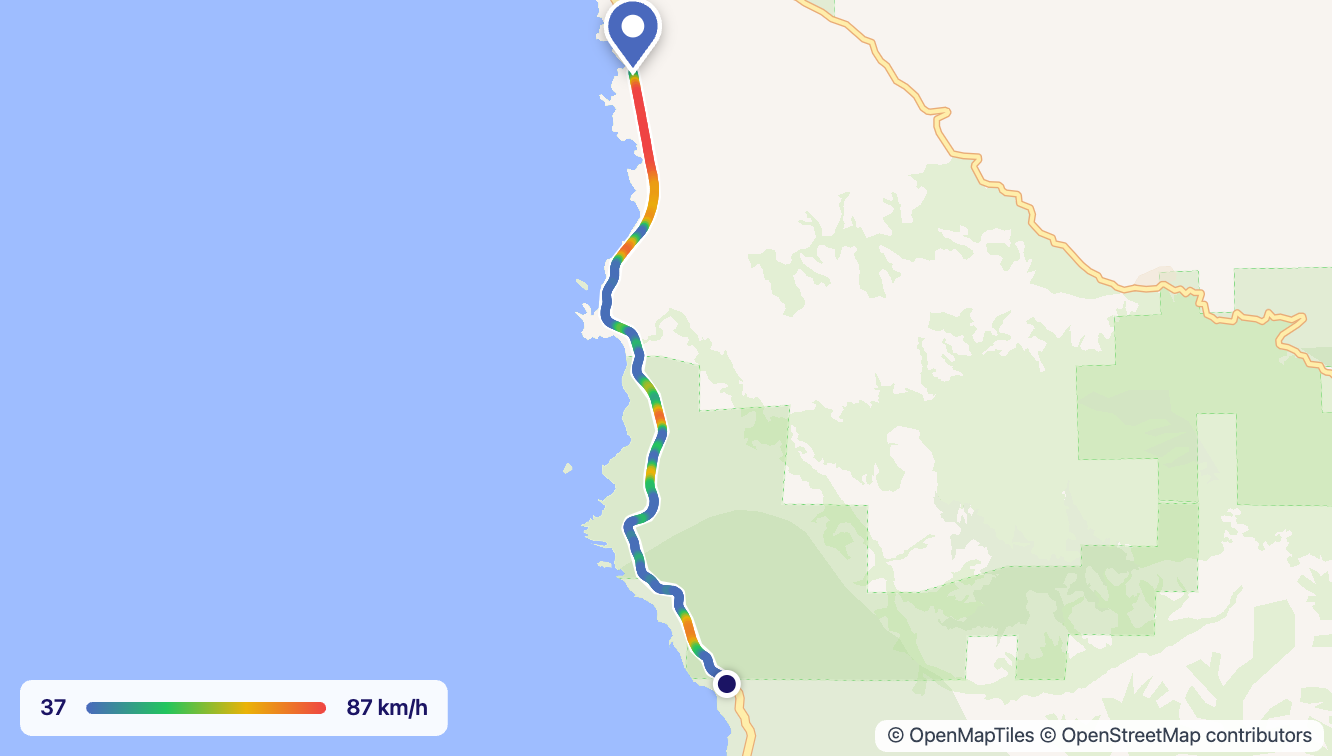 The line changes colour with the speed: blue where the car was slow, red where it was fast.
- Speed at a glance: the route is coloured from slow to fast, with a scale underneath.
- Save the map as an image, ready for an email or an insurance claim.
- Download the route as GPX, KML or CSV for mapping apps, Google Earth or a spreadsheet.
- Open it in Google Maps with directions along the way.
The route also appears on the full results page for any video that records one, with every position listed in the metadata. Our guide to the dash cam GPS viewer shows how to use it.
Upload files of up to 2 GB
Long videos, big PDFs and high-resolution scans no longer hit the old 100 MB limit: you can now upload files of up to 2 GB. Large files are sent in small pieces behind the scenes, so a dropped connection doesn't mean starting over: the upload simply carries on from where it stopped. Smaller files upload exactly as before.
A clearer results page
The results page now starts with what matters:
- A short summary in plain words of what the file is: a photo taken on an iPhone in Rome, a 2-minute video, a PDF made in Word.
- "This file reveals", a quick list of the personal details the file gives away, such as your location, device serial numbers or names.
- The pictures inside the file, such as previews, thumbnails, Live Photo clips and album art, in a gallery you can open full screen. You see them for files you upload; for anyone else's, sign in for free.
- A bigger map you can widen, with a button to jump back to the location after you've moved around.
- Easier-to-read details: audio tags, colour-profile curves drawn as a chart, and metadata panels that open on the most useful group.
If a file is damaged or encrypted, the page now says so plainly instead of showing an empty result. And if you uploaded a file and want its page gone, you can take it down yourself straight away.
Find out how an image was made
AI images often carry the recipe that made them. ExifTools.com now reads it from more places: the prompt, model, seed and settings from Stable Diffusion, ComfyUI (including video workflows), NovelAI, InvokeAI, Midjourney and Civitai exports. A ComfyUI workflow without a text prompt, such as an upscale, now says what it does instead of showing raw data.
We also check Content Credentials (C2PA), the signed record that cameras, editing apps and AI generators can attach to an image, as part of every upload. A photo signed by a real camera is no longer mistaken for an AI image. The Content Credentials Checker shows the full record.
A stronger Metadata Remover
The Metadata Remover now cleans many more kinds of files completely:
- Documents: PDFs, ebooks (EPUB), older Office files, RTF and Apple iWork files.
- Videos: MP4 and MOV, including the hidden tag that names the app that encoded them.
- Medical scans: patient names and dates come out of DICOM files.
- Download everything at once: pick the cleaned files you want and get them as one ZIP.
- No surprises: for the few formats that can't be changed safely, it tells you the file came back as it was.
It works the same way it always has: drop in your files and download clean copies, with the pictures and sound untouched. Our guide on how to remove EXIF data from photos walks through it.
Easier ways to add files
- Drag an image straight from another browser tab onto the page; we fetch it for you.
- Paste a copied image or a link with Ctrl+V (⌘V on a Mac).
- Drop whole folders and check many files in one go.
In your language
The whole site is now available in 20 languages: the extractor, the remover, the results page and all 101 tools. That includes right-to-left layouts for Arabic, Brazilian Portuguese throughout and Traditional Chinese.
For developers
The API can now fetch files from a link of up to 2 GB, explains why a link couldn't be downloaded, and returns the images, media and attachments found inside documents. The documentation's examples match the real responses.
What's next
More tools, more file types and more guides are on the way. If there's a question about your files you'd like answered, tell us.
Start with the metadata viewer to see everything a file holds, or browse the free tools for a quick answer to one question.