How to Tell Which Phone Took a Photo (and Which Camera)
Phones write their model, software version and the camera they used into every original photo. Here's how to read it, what Samsung codes and Pixel software lines mean, and why a photo from WhatsApp tells you nothing.
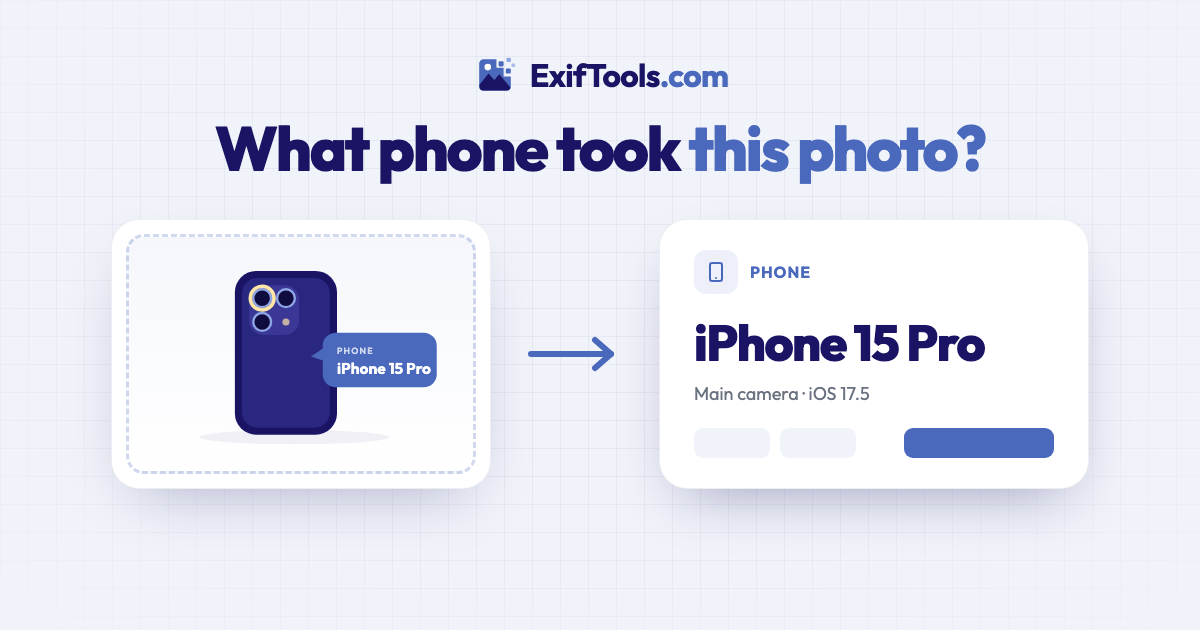
An original photo from a phone says which phone took it. iPhones, Galaxys, Pixels and almost every other phone write their make and model into each picture, along with the lens they used and their software version, and you can read all of it by dropping the file into a phone finder. The catch is the word "original": a photo that came through WhatsApp, Instagram or a screenshot has usually lost these details.
People ask this for all sorts of reasons. A buyer wants to know whether the photos in a phone listing were taken with that phone. A parent wonders which of the family's devices a picture came from. Someone comparing phones wants to see which one took the shot they liked. Or you simply want to know whether a photo was taken on the ultra-wide or the main camera, so you can take the same shot again.
How to read the phone from a photo
- Start from the original file. On the phone itself, share it by AirDrop, email attachment, cable or a cloud link that keeps the original. In a chat app, ask for it to be sent "as a document" or "as a file", which keeps the details, rather than as a photo.
- Open the Phone Finder to see what phone took a photo and drop the file in, or tap to choose it on your phone. JPEG and HEIC both work, so there's no need to convert an iPhone photo first.
- Read the result. You'll see the phone's name, which of its cameras took the shot, the lens description, the software version and the date.
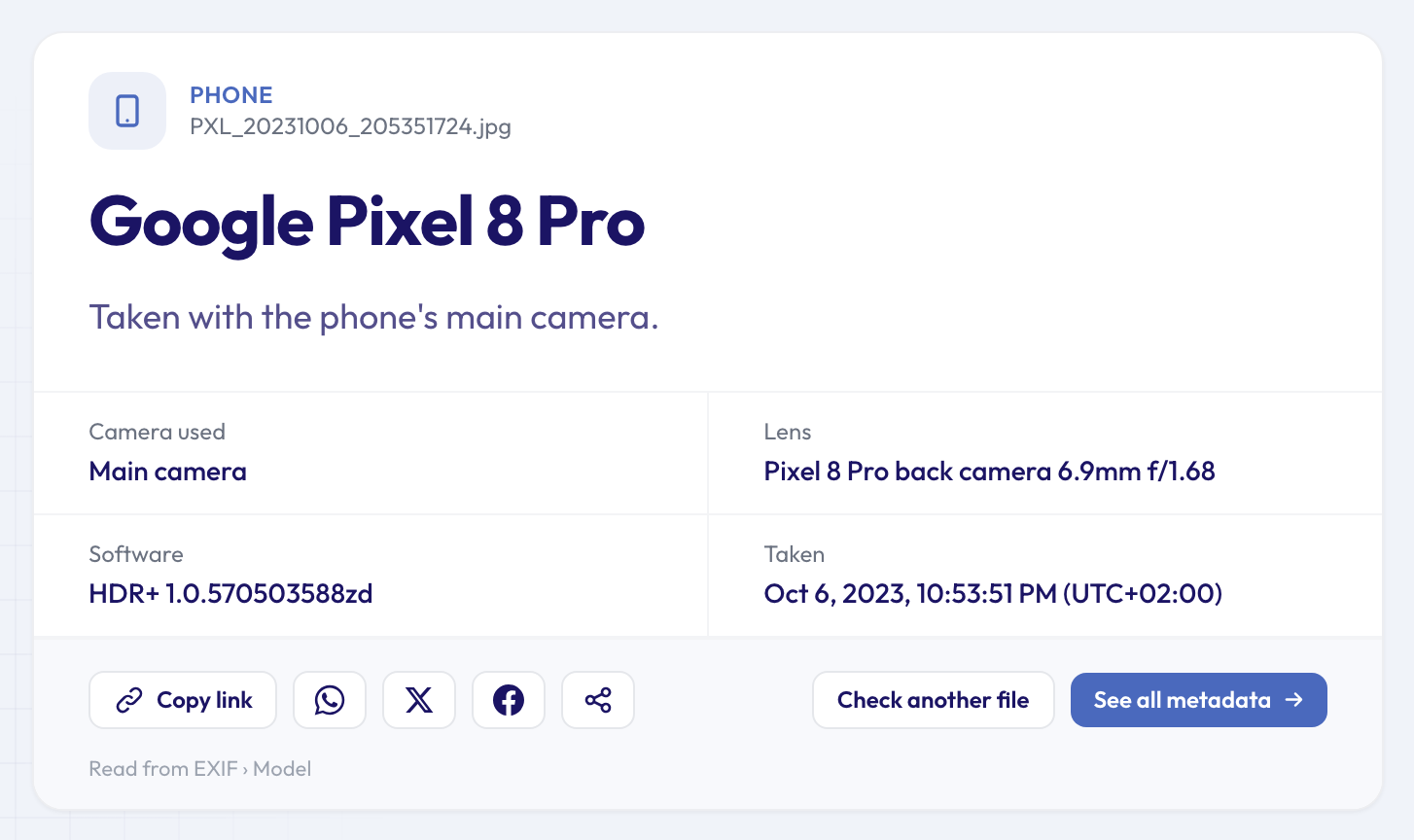 A Pixel 8 Pro photo. The phone is named, the main camera is identified from the 24 mm-equivalent focal length, and the software line is the camera's HDR+ processing version.
The check is free, works in any browser, and needs no account. Your file is sent over an encrypted connection and deleted automatically after about 24 hours.
What the phone writes into each photo
Make and model. Two standard EXIF fields, written by the phone's camera app the moment you press the shutter. Apple writes "iPhone 15 Pro". Google writes "Pixel 8 Pro". Samsung is the odd one out: it writes a model code.
A model code instead of a name (Samsung). Galaxy phones record codes such as SM-S918B. The part after "SM-" identifies the phone (S918 is the Galaxy S23 Ultra) and the final letter is the regional or carrier version. The Phone Finder translates the codes of common Galaxy models and keeps the code next to the name. If a code isn't in its list yet, you'll see the code itself, and a quick search for it gives you the model.
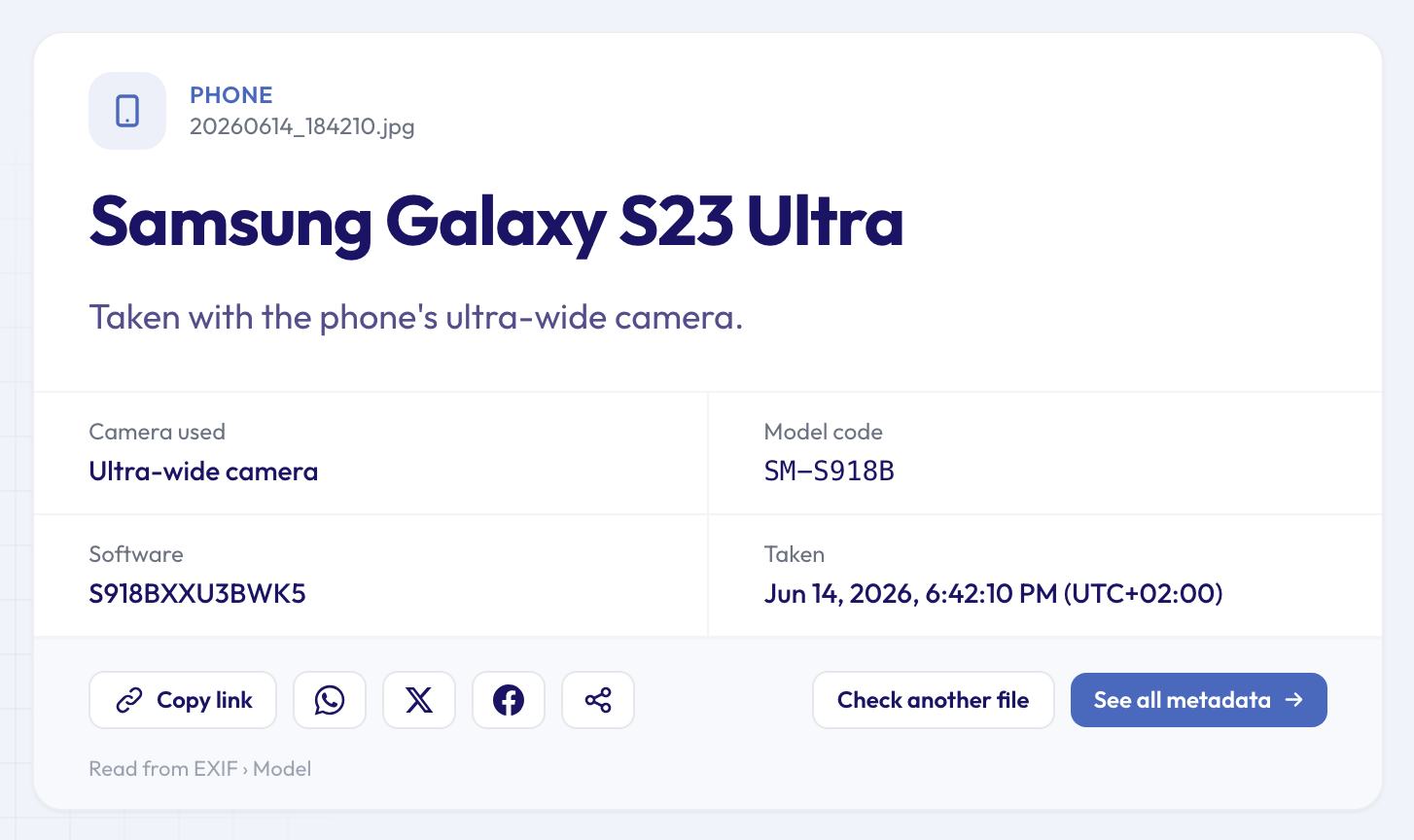 Samsung writes SM-S918B; the result shows Galaxy S23 Ultra, the ultra-wide camera, and the firmware build under Software.
The lens description. Phones with several cameras name the one that took the picture. Apple writes strings like "iPhone 15 Pro back triple camera 9mm f/2.8" or "front camera" for selfies. Google's look like "Pixel 8 Pro back camera 6.9mm f/1.68". The millimetres here are the real focal length of a tiny phone lens, which is why they look so small.
Which camera was used. From the lens description and the 35 mm-equivalent focal length, the Phone Finder tells you whether it was the main camera, the ultra-wide, the telephoto or the front camera. Roughly: below 20 mm equivalent is ultra-wide, 20 to 35 mm is the main camera, longer is telephoto. Because it's based on the equivalent focal length, a shot zoomed digitally on the main camera can occasionally be labelled as the next camera up.
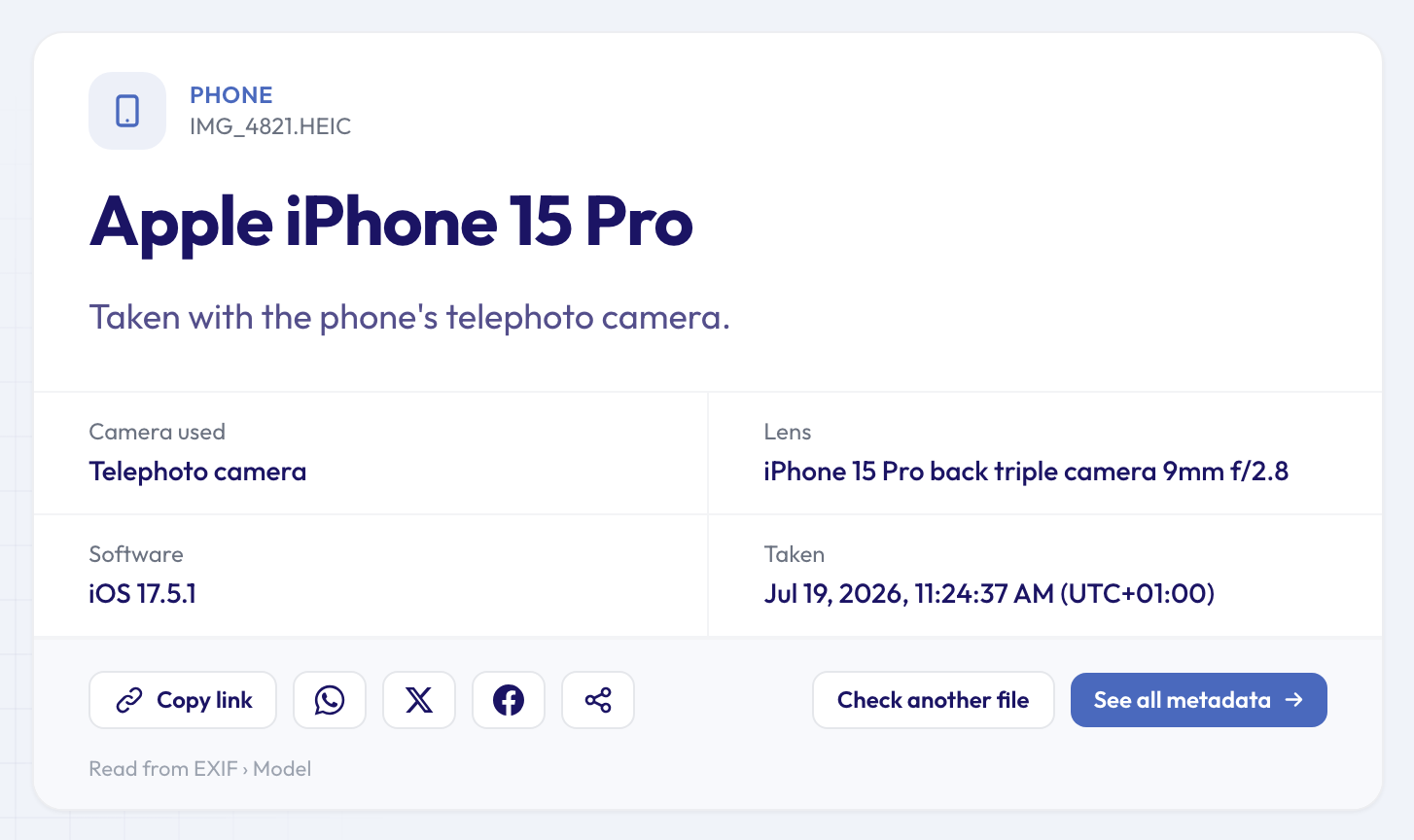 An iPhone 15 Pro HEIC photo taken with the 3× telephoto. Apple writes only the version number; the result reads it as iOS 17.5.1.
Software. What this means depends on the brand. iPhones record their iOS version, which gives a rough idea of when the photo was taken even without a date. Samsung usually records its firmware build, which starts with the model code. Pixels usually record the version of their HDR+ processing. If an editing app saved the photo afterwards, its name replaces these.
What a phone doesn't record. Phones don't write their serial number into photos, so a picture can tell you the model, never the individual handset. They do, however, often record where you were. More on that below.
Why no phone is found, and what that means
If the result says the photo doesn't name a phone or camera, the details were removed or never written. The usual causes:
- Screenshots. A screenshot is a new image made by the phone's system, not by its camera, and it carries no camera details.
- Chat apps and social networks. WhatsApp, Instagram, Facebook and most messaging apps re-save photos without these fields when you send or post them.
- Downloaded images. Most websites strip details from the images they serve.
- Edited copies. Some editing and filter apps save a new file without the original's details.
An empty result doesn't mean anything suspicious. It's normal for most images that have travelled. And if you see a camera name rather than a phone, the Phone Finder says so plainly: the picture came from a camera, and the Camera Finder gives you the full details. Our guide on how to find out what camera took a photo explains what each line of that result means.
Can you trust the phone name?
As a strong hint, yes. The model is written by the phone itself and survives copying, backing up and most transfers. But like all metadata it can be edited, so it isn't proof. A few things that make it more convincing: the lens description matches the model (an "iPhone 15 Pro" photo naming an iPhone 15 Pro lens), the software version existed for that phone, and the settings make sense. The Camera Settings Viewer shows the aperture, shutter speed and ISO the phone chose, if you want to look closer.
What else a phone photo can reveal
The details that name your phone travel with others you may care more about.
- Location. Phones save GPS coordinates in photos when location is turned on for the camera. Before you share an original, use the location privacy check to see whether a photo gives away where it was taken. Our guide to whether a photo reveals where you live explains the risk and the fix.
- Time. The exact moment of the shot, often with the time zone. Our guide on finding when a photo was really taken explains how to read it.
- The same for videos. Phone videos record the model too. The Video Phone Finder reads it from MP4 and MOV files.
If you'd rather share a photo without any of this, the Metadata Remover gives you a clean copy. To see every field before you decide, open the file in the full metadata viewer.
FAQ
Can I tell if a photo was taken on an iPhone or an Android phone?
Yes, if it's the original file. iPhones write "Apple" as the make and the exact model, such as iPhone 15 Pro. Android phones write their own brand: Google, Samsung, Xiaomi, OnePlus and so on. Android itself isn't named, but the brand and model tell you.
Does converting HEIC to JPEG remove the phone model?
Not necessarily. When an iPhone converts a photo to JPEG as it shares it, the camera details usually come along. Converters and apps vary, though, so check the converted copy if it matters.
Does a photo record which phone case or accessory lens was used?
No. A clip-on lens or a case isn't something the phone knows about. The photo records the phone's own camera that captured it, so a clip-on telephoto over the main camera still shows as the main camera.
Can the Phone Finder tell two phones of the same model apart?
No. Phones don't write a serial number into their photos, so two iPhone 15 Pros produce identical model details. Dedicated cameras are different: many save their serial number, which the Camera Serial Number Finder can read.
Check which phone took your photo
Have the original file? Check which phone took a photo and see which of its cameras was used, in a few seconds. It's free, works on your phone too, and you don't need to sign up. More quick answers about photos, videos and documents are on the tools page.